
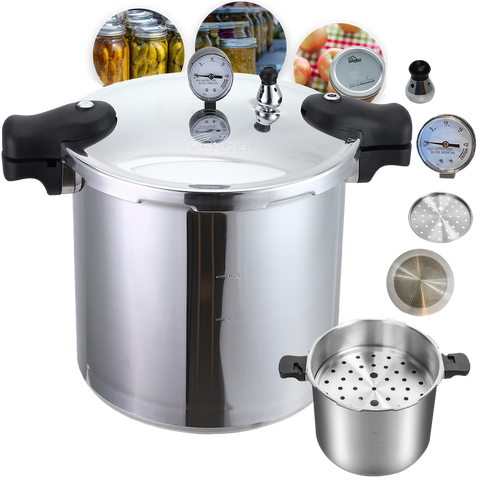
The Tanker™ ships with 10 lb and 15 lb weights so you can match pressure to your elevation. Getting that choice right, and seating the weight on a tight valve stem, is one of the small setup steps that makes a canning day go smoothly.
Identify the Two Weights
The Tanker includes both a 10 lb and a 15 lb option. The 15 lb weight has a smaller hole, which is the detail Denali uses to tell them apart. The weight sits on the valve stem. If the stem is not tightly secured, water can leak during the run, so check that connection before you heat the pot.
Match the Weight to Your Elevation
Pressure canning times and weights depend on where you live. Denali's original tutorial says to consult an elevation chart to choose the correct weight for your location. This guide does not add cutoff numbers that are not already published on that tutorial. Keep the safety and operations manual nearby, and use the same elevation reference you already trust for your other canning recipes.
Why a Larger Canner Still Needs a Steady Weight
The Tanker is a 23-quart canner. Denali's 23-quart safety guide notes that a larger pot holds more steam, heat, and weight, so skipped steps show up faster than they would on a small pot. Once the canner is vented (10 minutes of steady steam is the standard on most canners) and the weight is in place, the goal is to reach the correct pressure and hold it for the full processing time. If pressure drops, bring it back up and restart the time from the beginning.
A Quick Pre-Heat Check
Before you rely on the weight, confirm the valve stem is tight, the gasket looks sound, and you have enough water in the pot. Most tested guidelines call for about 2 to 3 inches, but follow your manual. When the run is over, let pressure drop naturally. Do not cool the canner with cold water, and wait about 10 more minutes after the pressure drops before you open the lid.
These setup and safety points also appear in Denali's 23-quart safety guide and The Tanker product guide.



Comments (0)
There are no comments for this article. Be the first one to leave a message!